Map a completeness check
- Create a Basic Flowchart model.
- Add Start, Decision, Process and End elements using the type selector.
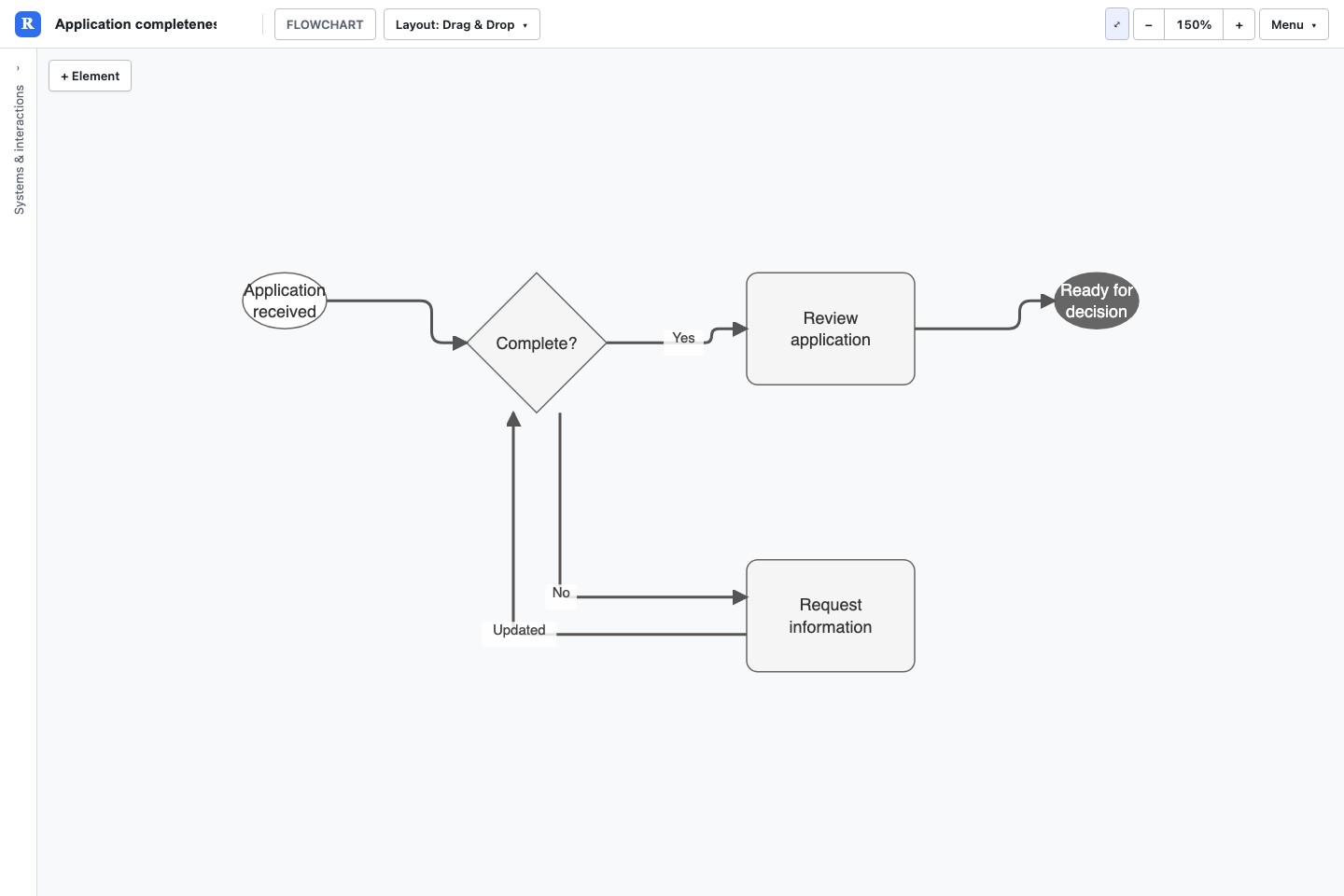
- Name the decision Complete? and add two process steps: Review application and Request information.
- Connect the decision to those processes. Label its outgoing arrows Yes and No.
- Return Request information to the decision and send Review application to the end. Save the view and model.
Keep branches readable
Put a question on a decision and an action on a process. Name each branch so the reader does not have to infer the condition from its position. Use a return arrow for a repeat cycle and make the exit visible.
Choose the right scope
One flowchart should answer a specific procedural question. Use Group and Parent for visual organisation when needed, and focused views for larger models. Use BPMN Lite when pool/lane responsibility and inter-participant messages are central to the discussion.
Supported formats
The native flowchart set consists of Start, End, Decision, Process and Group, joined by ordinary directed relationships. Mermaid flowcharts are supported through the text import/export route, with conversion warnings for unsupported constructs. Other Mermaid shapes do not automatically become additional native Revelation types.
Download the application flow example (JSON)
Try this with Rovo in Confluence
Choose the matching Revelation agent. Supply the destination page and review the result before sharing. Follow the Rovo guide to attach the created model to a macro.
Create a flowchart for an application completeness check. If complete, review it and finish. If incomplete, request information and return to the completeness decision. Label the branches Yes and No.Supported element types
| Name | Model token |
|---|---|
| Flow Chart Start | START |
| Flow Chart End | END |
| Decision | DECISION |
| Process | PROCESS |
| Group | GROUP |
Supported relationship types
| Name | Model token |
|---|---|
| -> | -> |