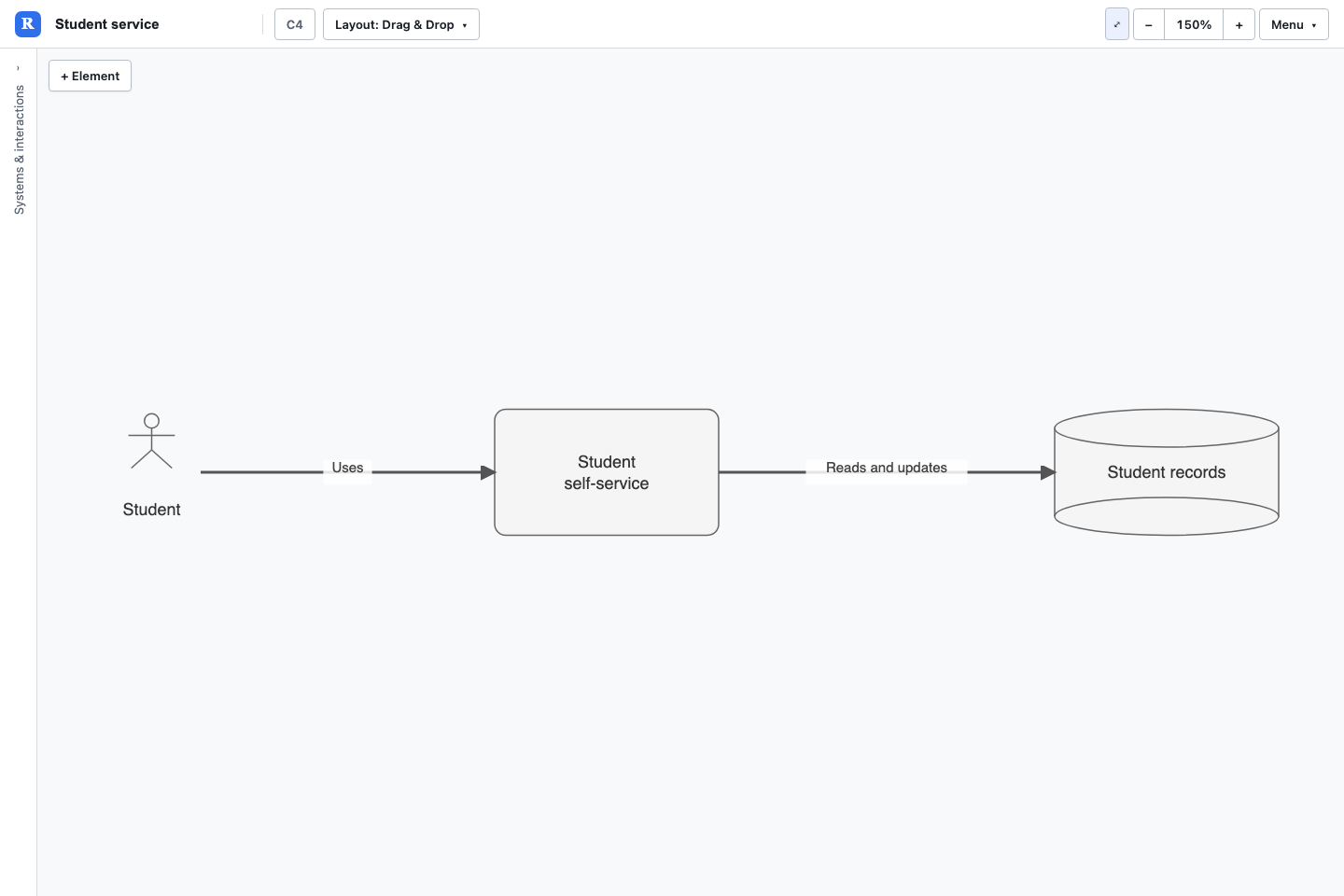
Imagine explaining a student service to a new colleague. Who uses it? Where does the information come from? This small C4 diagram answers both questions. By the end, you will have an editable model you can reopen and develop.
Before you start: open Revelation in a desktop browser. This walkthrough uses C4 and local JSON saving. Allow a few minutes; no GitHub or AI setup is needed.
Create the model
- Choose Menu → New model…. If you have unsaved work, save it before replacing it.
- Enter Student service for Title, keep C4 Architecture as Model type and select Create.
- Drag + Element from the palette onto the canvas. Choose Actor in the type picker, then set Name to Student in Details.
- Add two more elements: Student portal with type System, and Student records with type DataStore. Move the boxes apart so the labels are easy to read.
Connect the elements
- Select Student on the canvas. Drag the arrow connection handle from it onto Student portal.
- Select the new connection and enter Uses in its Rename field. Press Enter.
- Create a second connection from Student portal to Student records. Name it Reads and updates.
- Select Student portal, rename it Student self-service, and press Enter. Use Fit to screen if necessary.
Save your diagram and open it again
- Choose Menu → Download JSON. If a view-save prompt appears, give the arrangement a name such as Overview and save it before completing the download.
- Find the downloaded JSON in your browser's download folder. A download creates a file; it does not overwrite the file you originally opened.
- Choose Menu → Open local model… and select that file.
- Check that Student self-service and both named connections are present.
You now have your first saved model. Keep the JSON as your working copy. Next time, you can add another service, record an owner or create a view for a different audience.
Download the student service example (JSON)
Prefer to start with a working diagram? Open the example, try renaming an element, then save and reopen your version. Next, create a second view.